Your skins.Your trades.In your pocket.
Trades, the market and your inventory, wherever the day takes you. Sell P2P straight from your phone, no browser extension needed.

Open on your phonePoint your Android phone’s camera at the code to open CSBoard on Google Play.
Trades, in focus
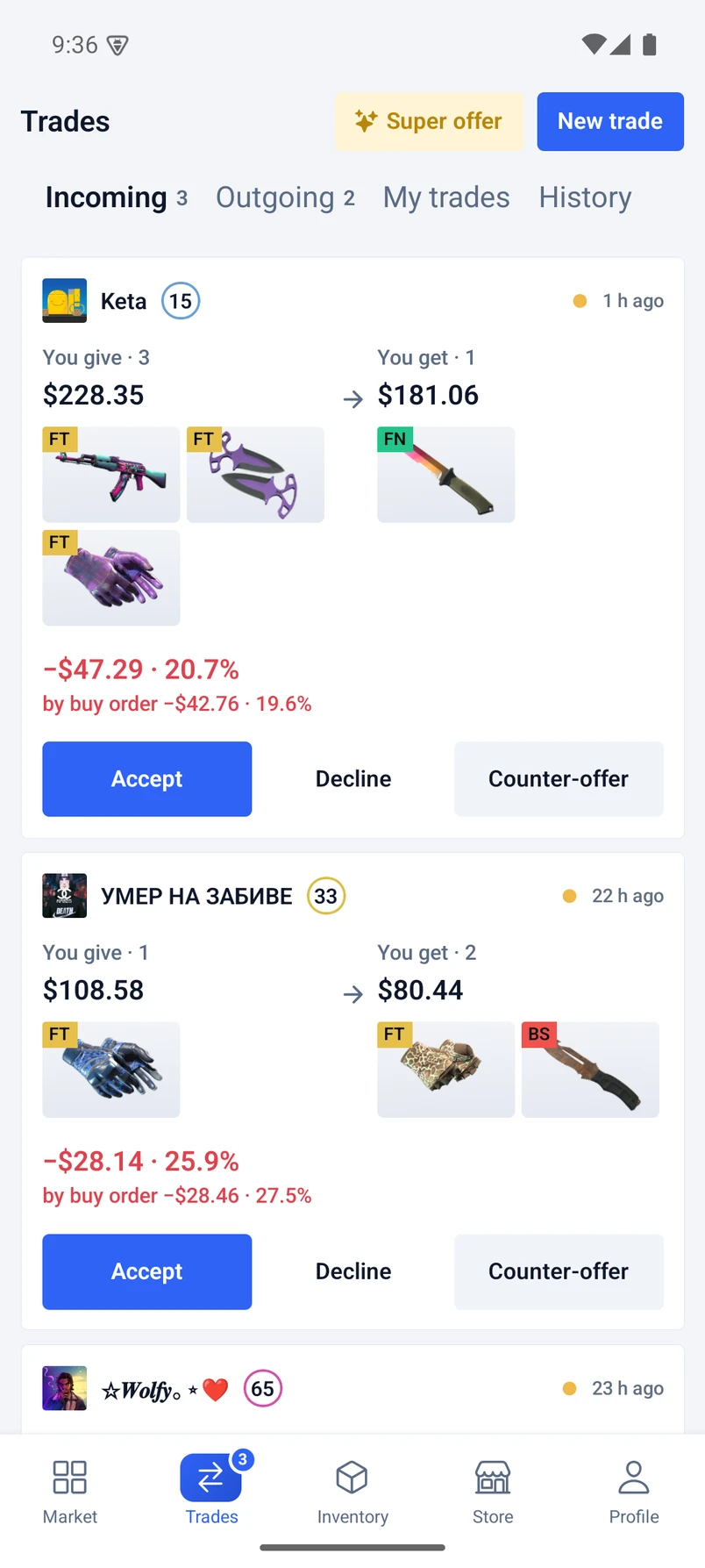
Compare both sides, see the value difference and send a counter-offer.
P2P from your phone
On Android the app does the extension’s job. Sell to other players without a computer.
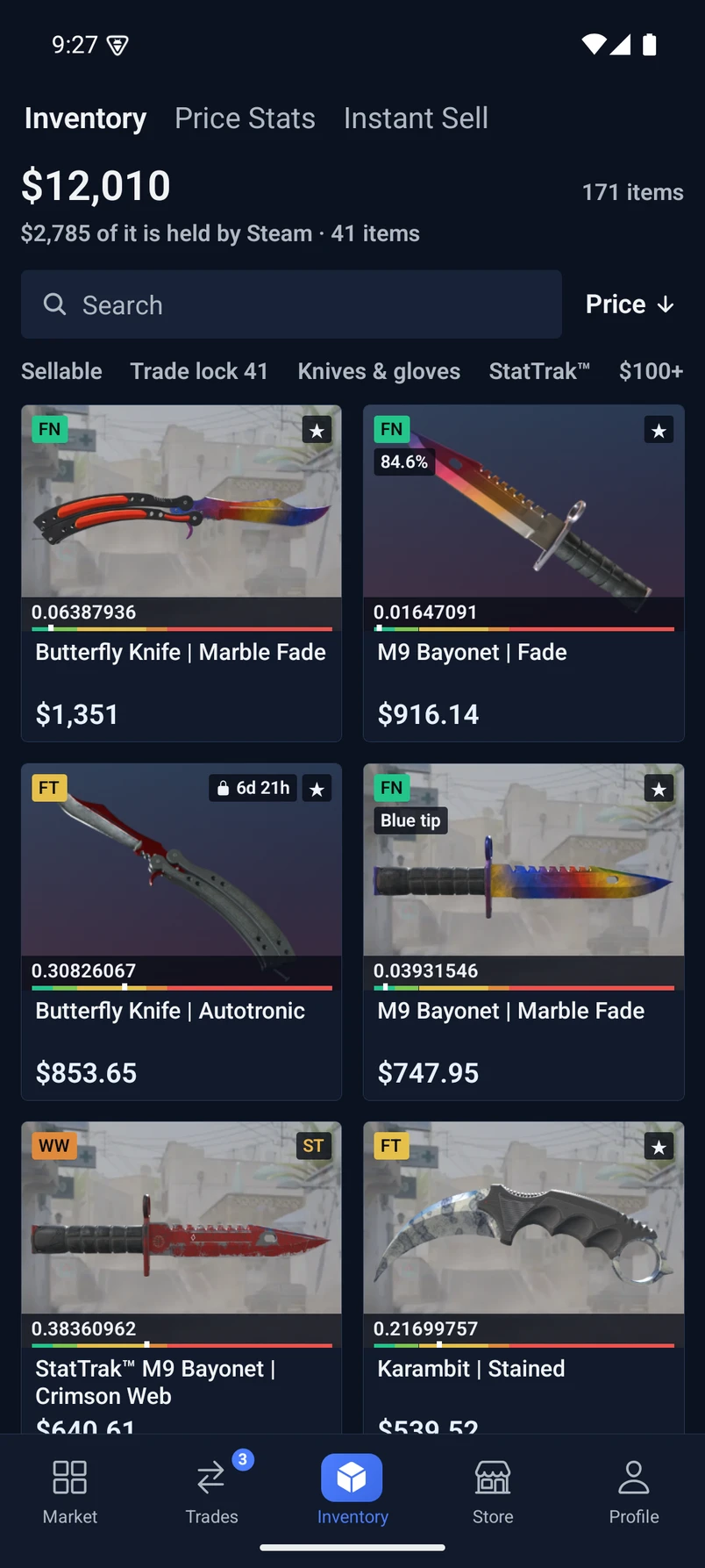
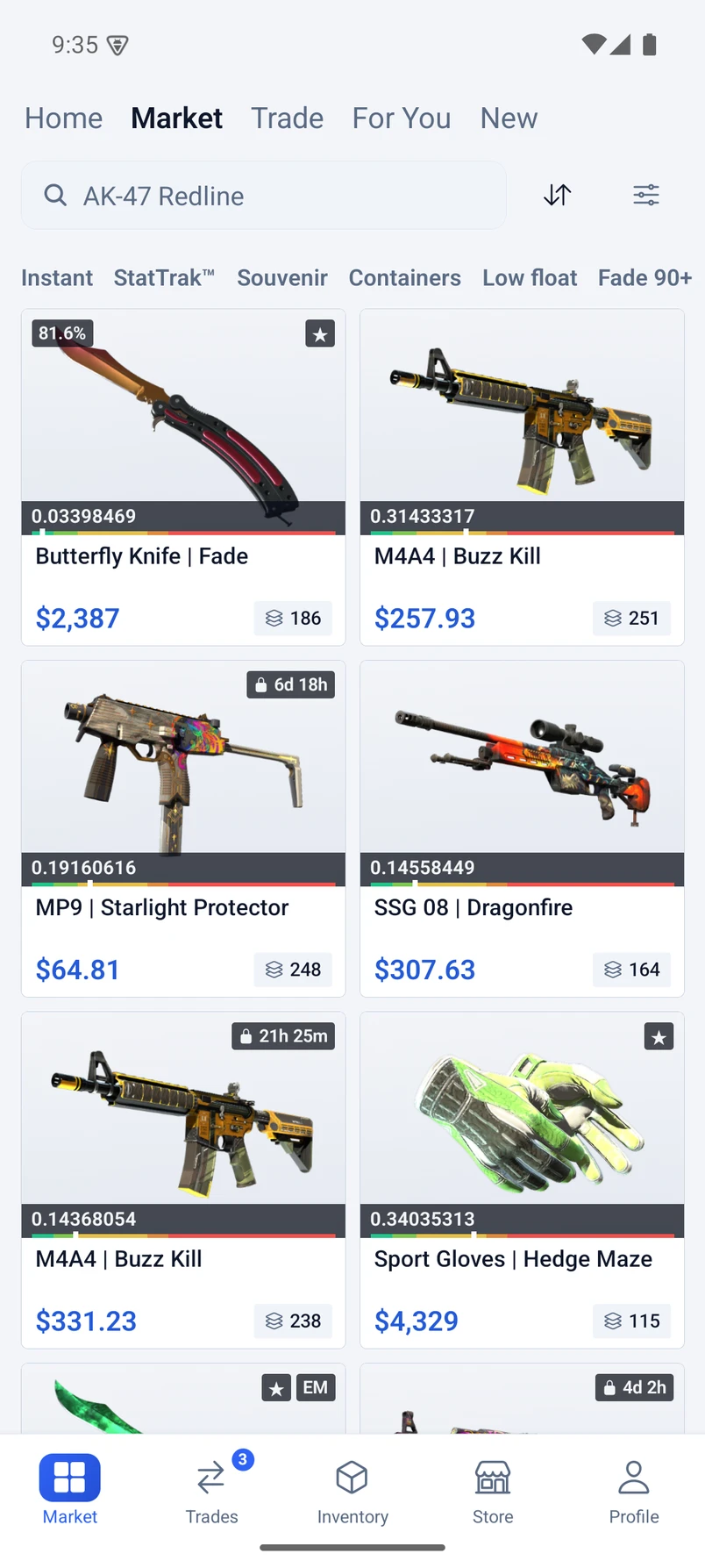
Market and inventory
Buy skins, follow prices and see what your collection is worth.
Away from your desk.On top of your trades.
An offer comes in while you’re out? Open it on your phone, compare both sides and work out the difference in seconds.
- Incoming and outgoing offers in one place
- Item values and the difference between both sides
- Accept, decline or propose a counter-offer
Three tapsand you’re in.

- 1
Install the app
Open CSBoard in Google Play or the App Store and install it.
- 2
Sign in with Steam
Use the same account you trade with on csboard.com. Your balance, listings and trades are already there.
- 3
Trade on the go
Offers, the market and P2P sales now travel with you.
Before you jump in
Do I need a new CSBoard account?
No. Sign in with the same Steam account you use on the website.
Can I sell P2P from the app?
Yes. On Android the app replaces the browser extension for P2P sales, so you can sell to other players without a computer.
What can I do in the iPhone app?
Trade with other players: offers, counter-offers and your inventory. Buying, selling and your balance are on csboard.com in Safari.
Is the app free?
Yes. Installing and using the app costs nothing.
See you on the small screen.
Same CSBoard. A little closer.